BEFORE YOU BEGIN
A safe lab, not a clinical system.
Fabric F2+ or Power BI Premium P1+ with Fabric enabled. Not a Fabric trial.
Copilot access and capacity settings must be approved by your administrator. Cross-geo processing and storage are required outside the EU/US.
Setup overwrites tables and deletes/recreates the ontology on rerun. Use only fresh, isolated resources.
Resources retained · cost reminder. The actual workspace uses an existing Fabric F4 capacity in Indonesia Central. No new paid capacity was provisioned. The deletion dialog was cancelled, so the workspace and lab resources remain. Review retention and ongoing capacity costs with the owner; this session did not pause capacity, change billing, or complete cleanup.
Verified direct outputs—not data-agent answers. Each question shows the exact manually executed GQL, an actual result table, and its result screenshot. Earlier ungrounded agent responses remain available in expandable sections. The graph-loading repair record documents opening the existing child graph, Save without edits, and Refresh now; the contribution of each action is not proven. The graph is queryable, but the agent still cannot attach it. Use the read-only direct query fallback without confusing it with agent success.
No matching steps. Clear the search or choose a different evidence filter.
READ THE DATA BEFORE TRUSTING THE ANSWER
The synthetic source model
Dummy data already exists for all five ontology entity types. The setup created 1 hospital, 3 departments, 10 rooms, 5 synthetic patients, 5 equipment records, and 15 vital-sign readings. Seven direct graph queries now return the actual results shown in the question steps, including 2 occupied Surgical Services rooms. No extra assignment tables are needed: the earlier agent responses were ungrounded because the agent had no connected source.
The inventory below comes from the official notebook and its successful setup outputs. It is not an agent-generated result or a real-time hospital feed. An empty Emergency equipment result is intentional in the official lab; do not fabricate extra records to conceal it.
| Source | Records | Interpretation |
|---|---|---|
| Hospitals | 1 | One fictional healthcare organization |
| Departments | 3 | ICU, Surgical Services, Emergency |
| Rooms | 10 | Occupied rooms are a bed-count proxy; no Beds entity |
| Patients | 5 | Room assignments, not a discharge-aware admission system |
| VitalSignEquipment | 5 | 3 assigned in ICU; 2 in Surgical Services |
| Vital sign readings | 15 | The code ingests 15; notebook markdown incorrectly says 20 |
Relationship direction is part of the model
Departments → HospitalsinHospitalRooms → DepartmentsinDepartmentPatients → RoomsadmittedToVitalSignEquipment → PatientsassignedToPatient
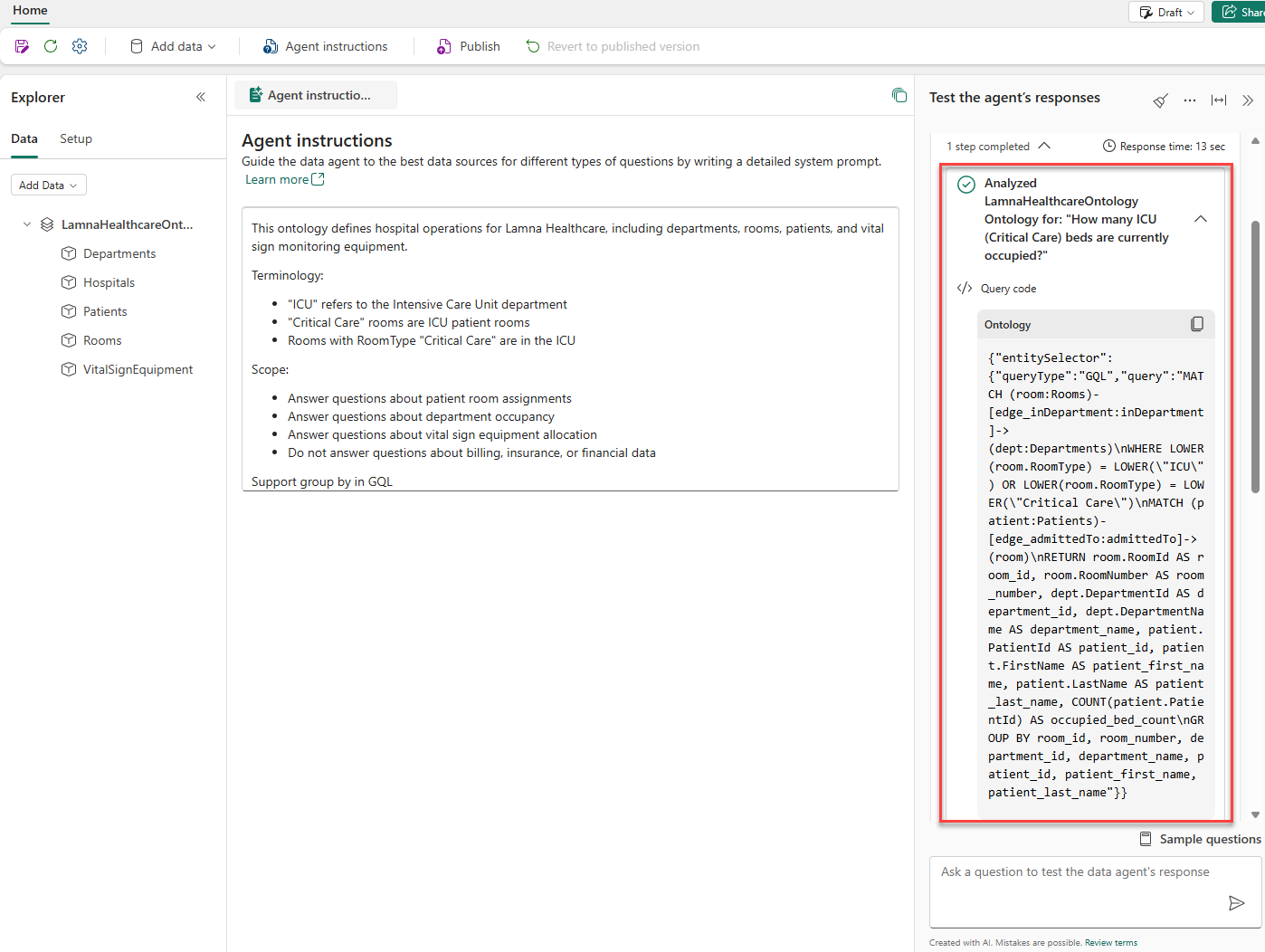
For the ICU-301 lookup, a query starting from a room follows an incoming admittedTo edge to its patient. Inspect the actual generated GQL instead of copying an invented query.
WHEN THE RESULT ISN'T WHAT YOU EXPECT
Pause. Inspect. Then retry.
Data agent or Copilot is unavailable
Verify paid supported capacity, workspace assignment, administrator-approved tenant/capacity settings, and applicable region policies. Changes may take up to one hour. Do not switch tenant settings without authorization.
Why visible instances did not prove graph readiness
Before the repair, Departments showed three instances, equipment showed five, and three time-series charts were populated, while the Relationship graph still showed first-time setup. The child graph editor had five node and four edge definitions but “No data loaded.” Populated Instances therefore did not establish graph ingestion or queryability. The later loaded-state screenshot and direct query outputs verify those separately.
The notebook succeeded without code changes despite pip warnings involving PyJWT and filelock; the warnings were not fixed or claimed resolved. The existing child graph was opened, saved unchanged, and refreshed. No destructive notebook rerun was performed. Graph loading is now repaired, although the exact causal contribution of each action is not proven.
Partial fix verified: graph repaired, agent attachment still unresolved
The initial ontology attachments failed with Failed / BadRequest: “Error occurred while adding datasource. Failed to fetch schema for the data source.” The original graph refresh was Cancelled for an unknown reason. After opening the existing child editor, saving unchanged, and requesting a scoped refresh, the graph reported Data load completed and Last loaded at 22/09/2026, 04:24:37. The earlier Not started refresh status was an intermediate observation, not the final graph state.
getQueryableGraphType changed from HTTP 204 to HTTP 200 with the actual schema. A direct MATCH (n) RETURN n LIMIT 5 worked, then all seven manually authored read-only GQL queries succeeded. The graph-loading repair is verified. The separate agent-attachment retry at 4:34 AM still failed with the same schema-fetch error. F4 and Indonesia Central are environment facts, not proven causes.
The verified fallback is: existing child graph → Query → Query now → Query builder dropdown → Code editor → replace ALL code → Run query. Exact manual queries and actual tables are in the question module. Emergency equipment returned no rows with status 02000 / no data, not a query failure. Ranking returned only Intensive Care Unit 3 and Surgical Services 2; Emergency was omitted by MATCH, not returned as zero.
All seven earlier chat responses remain ungrounded and are preserved below each manual result. Their conceptual SQL references example tables such as encounters, bed_assignments, room_assignments, and equipment_assignments that do not exist in the notebook. The manual GQL results must not be attributed to the agent. Published remains disabled.
Standard runtime remained unchanged; Microsoft's runtime documentation says runtime does not determine which sources can be added. No schema alteration, new capacity, tenant change, region move, or destructive notebook rerun was used. Preserve sanitized evidence and privately escalate the remaining attachment error. The full data-agent lab is not complete.
An answer is wrong, empty, or unexpectedly confident
After a source actually connects, check generated GQL, entity and property names, relationship directions, occupancy filters, aggregation, source permissions, and binding readiness. Emergency has no equipment in the static sample, but a permissions failure can also look empty. Broaden the question, then refine Agent instructions. Ontology example queries are not supported.
A recipient has the link but cannot query
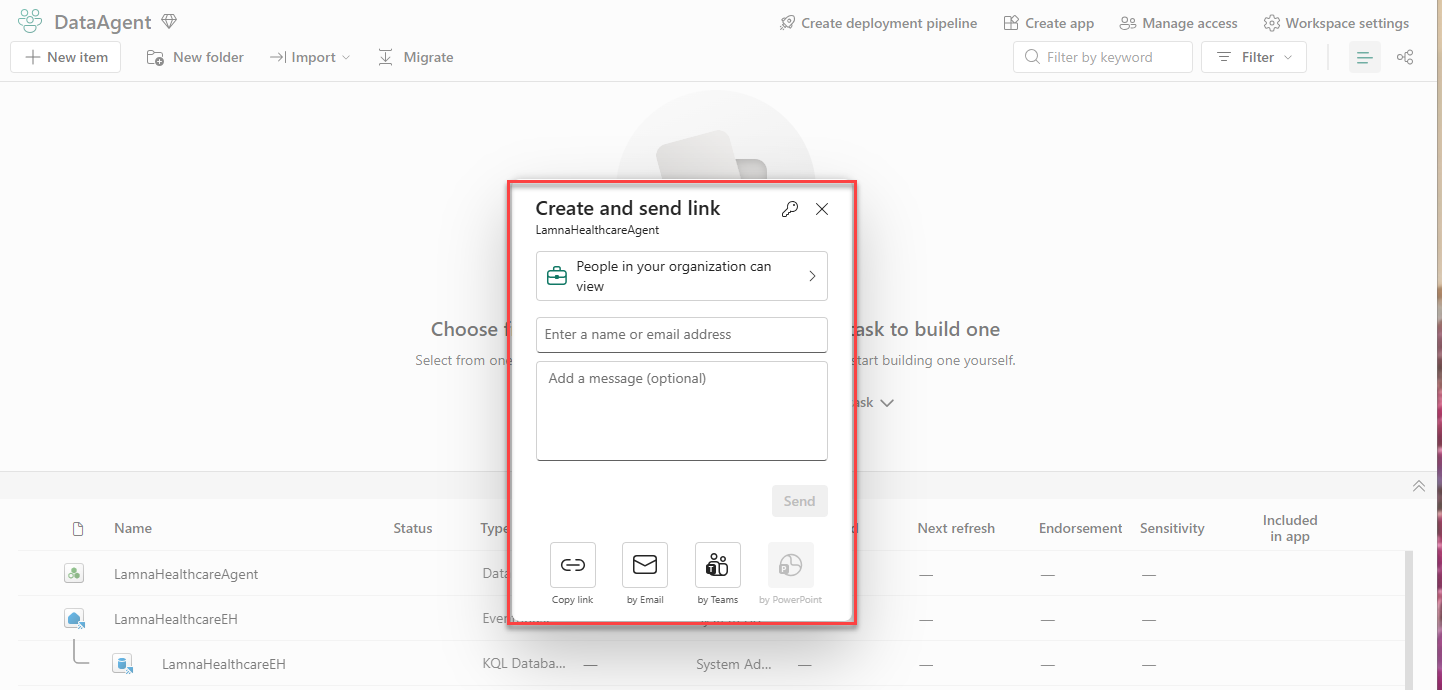
Check publication, the agent access grant, Read on the ontology and bound lakehouse, and Reader on the bound KQL database. A link does not grant access. Grant only what is required, rather than broad workspace edit permissions.
PROVENANCE & BOUNDARIES
Built to be checked.
This is an independent educational adaptation of the MicrosoftLearning lab, not an official Microsoft publication or endorsement. Microsoft Fabric ontology is in preview; UI labels, feature availability, and requirements can change.
- Official lab: Build a Fabric data agent with an ontology
- Official lab source on GitHub
- Official setup notebook source · Download bundled notebook
- MicrosoftLearning source license
- Official MicrosoftLearning reference images, reproduced under the bundled MIT license, not evidence from this run: generated GQL inspection screenshot · Create and send link screenshot.
- Tenant settings and geographic requirements
- Sharing, paid capacity, and underlying-source permissions
- Data agent runtime: runtime selection does not determine which sources can be added
- Manage graph data: portal initialization, Save-triggered ingestion, and manual refresh
- Ontology entity type details: Instances versus Overview, and refreshing the graph model
- Fabric preview information
All healthcare examples are synthetic. Do not use these outputs for diagnosis, treatment, triage, staffing, or real patient-care decisions. Validate every result against authorized source data. No private account names, tenant identifiers, endpoints, or real patient information belong in public evidence.
Evidence labels distinguish verified manual GQL results, ungrounded agent responses, historical diagnostic captures, blocked attachment outcomes, inspected-but-unsubmitted dialogs, context references, and unexecuted walkthroughs. Direct query success is not data-agent success. Reused context images do not prove the depicted step ran. A selected source is not a connection; a cancelled publish, grant, or deletion dialog is not a completed action. Expected source baselines are separate from actual returned rows.